Top rated gaming laptops under $1000: An Analytical Overview of Market Standards
Finding a high-performance gaming laptop at a sub-$1,000 price point requires a nuanced understanding of current hardware tiers and manufacturer design trade-offs. While market fluctuations and promotional cycles impact actual retail figures, the category is defined by a specific set of baseline components that offer a balance between frame rate stability and affordability 1. Consumers looking for value in this segment must prioritize core specifications like GPU capability and RAM capacity over aesthetic features to ensure longevity for modern PC titles 2.
Defining the Standard Specification Baseline
Modern gaming laptops priced under $1,000 typically center on a specific configuration profile. A standard, performance-oriented machine in this range usually features a modern 6-core or 8-core processor, which provides the necessary computational overhead for gaming and multitasking 1. Memory is another critical factor, with 16GB of RAM now considered the functional minimum for current game releases 1, 3. Storage capacity is almost universally standardized at a 512GB NVMe SSD to maintain fast load times, though many models offer open M.2 slots for future expansion 2, 4.
Graphics performance in the under-$1,000 market is primarily anchored by the NVIDIA GeForce RTX 4050 or RTX 3050 series 5, 6. While the RTX 4060 offers a notable performance lead, it is often relegated to higher price brackets unless specific, configuration-limited inventory becomes available 1. Displays are generally Full HD (1920 x 1080) with a 144Hz refresh rate, providing the fluid motion necessary for competitive gaming 2, 7. Understanding these baseline expectations helps clarify what constitutes a competitive entry-level system.
Value-Oriented Market Leaders
Several laptop lines dominate the value segment, often noted for their balance of thermal management and upgrade potential. The Lenovo LOQ 15 series is frequently cited for its solid build quality and inclusion of dedicated NVIDIA graphics, often maintaining a 115-watt power delivery profile that allows the GPU to reach its expected performance ceiling 8. The Asus TUF Gaming A15 and F15 series are also prominent, recognized for their durable chassis and user-accessible memory and storage bays, which allow for easier maintenance over time 9.
The HP Victus 15 and 16 lines often appear as the most cost-effective entry points for systems equipped with RTX 4050 graphics 1. However, manufacturers in this space often introduce variation in display brightness and sRGB color accuracy to keep costs within the targeted budget 1. Conversely, systems like the Dell G15 prioritize robust cooling solutions, though this engineering choice often results in a heavier, less portable machine than the typical ultrathin alternatives 1.
Engineering Trade-offs and Design Realities
It is important to acknowledge that the sub-$1,000 gaming category frequently omits premium design features to maintain its price standing 1. Consumers should anticipate heavier, thicker chassis designs compared to high-end, premium machines 8. Battery life is often modest, typically ranging between 8 to 10 hours for basic video playback, but significantly less during intensive gaming sessions 2, 5. Fan noise can be elevated under load as the cooling systems work to prevent thermal throttling, a common reality in compact gaming hardware 6.
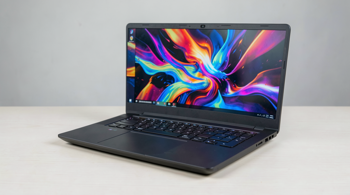
The physical construction of these machines often relies on high-quality plastics to manage manufacturing costs, sacrificing the premium aluminum finishes found in more expensive models 8. While these aesthetic compromises do not impact gameplay performance directly, they represent the primary point of differentiation from the next price tier. Buyers should focus on internal performance stability rather than luxury chassis aesthetics, as the internal cooling hardware is what effectively enables sustained, high-frame-rate performance in demanding gaming environments 1.
Optimizing Hardware Performance
Performance in budget gaming laptops is heavily dependent on specific software configurations. Many modern machines incorporate MUX switches, which allow the user to bypass integrated graphics and route the GPU directly to the display, significantly reducing input latency and increasing frame rates in competitive titles 2. Additionally, the implementation of NVIDIA DLSS technology in RTX series cards allows for boosted frame rates in compatible games, effectively extending the lifespan of entry-level hardware 12.
Software-side tools, such as manufacturer-specific control centers, allow users to monitor thermals and adjust fan curves to balance noise levels with cooling performance 6. Users should be prepared to maintain these systems by occasionally cleaning air vents and keeping drivers updated to ensure optimal interaction between the GPU and modern game engine requirements 6. Regular maintenance is essential for preserving hardware integrity, particularly in cooling-intensive gaming notebooks that rely on compact dual-fan setups 6.
Regulatory and Lifecycle Considerations
The market for entry-level gaming laptops is subject to rapid inventory turnover and frequent shifts in component availability. A model that qualifies as a strong value one month may be replaced by a newer version or fall out of stock as retail cycles progress 1. Buyers should check specific manufacturer documentation regarding warranty terms, as battery support periods can differ significantly from the coverage provided for the main logic board and GPU 6.
Furthermore, because these systems are often sold through various retailers, consumers should verify the specific regional configuration, as display panel types and RAM speeds can vary across the same model number. Checking manufacturer-provided specifications versus retailer descriptions ensures that the hardware received matches expectations regarding display refresh rate and memory capacity. This due diligence is the most effective way to navigate the complexities of the current gaming laptop market 1.
Summary Table of Key Features
| Component | Budget Baseline | Premium Alternative |
|---|---|---|
| GPU | RTX 3050 / 4050 | RTX 4070+ |
| RAM | 16GB DDR4/DDR5 | 32GB+ |
| Display | 144Hz FHD | 165Hz+ QHD/OLED |
| Chassis | Polycarbonate/Plastic | Aluminum/Magnesium |
Sources
- Digital Trends: Best Gaming Laptops Under $1000
- PC Gamer: Best Gaming Laptops Guide
- Tom's Guide: Best Budget Gaming Laptops
- ASUS: TUF Gaming A15 Product Documentation
- HP: Victus Gaming Laptop Specifications
- Newegg: Product Technical Specifications for Acer and Hasee Models
- RTINGS: Laptop Reviews and Comparative Testing
- Wired: Lenovo LOQ 15 Review
- Lenovo: LOQ Series Product Information
- Acer: Nitro V Lineup Overview
- Dell: G Series Gaming Laptop Documentation
- NVIDIA: GeForce Laptop GPU Features
Authored by MyTrendSpot team